 Noteic
Handwritten notes, with ink that keeps up with your pen.
Noteic is a free notebook for Windows, made for the Surface Pen and other Windows pens. Real pages or a whiteboard, no account, no subscription.

- Free, every feature
- Windows 10 and 11
- ARM64 and x64
- No account
- 55shapes
- 10paper styles
- 9accent colors
- 0accounts needed
Search your handwriting. Faster ink.
Find what you wrote by hand in a note or in all your notes, read offline on your PC. And two new settings bring the ink closer to your pen.
Search your handwriting
Ctrl+F finds handwriting, typed text, tables, formulas and PDF text, and the library searches inside your notes. Read offline on your PC.
Faster ink
Fast pen tip lets Windows draw the newest ink right at the tip (Windows 11 24H2 or later), and Earlier pen input hands your strokes to the ink sooner.
Outline and PDF text
An outline with up to four levels that brings along your PDF bookmarks. Select PDF text to copy, highlight or underline it.
Shapes and connectors
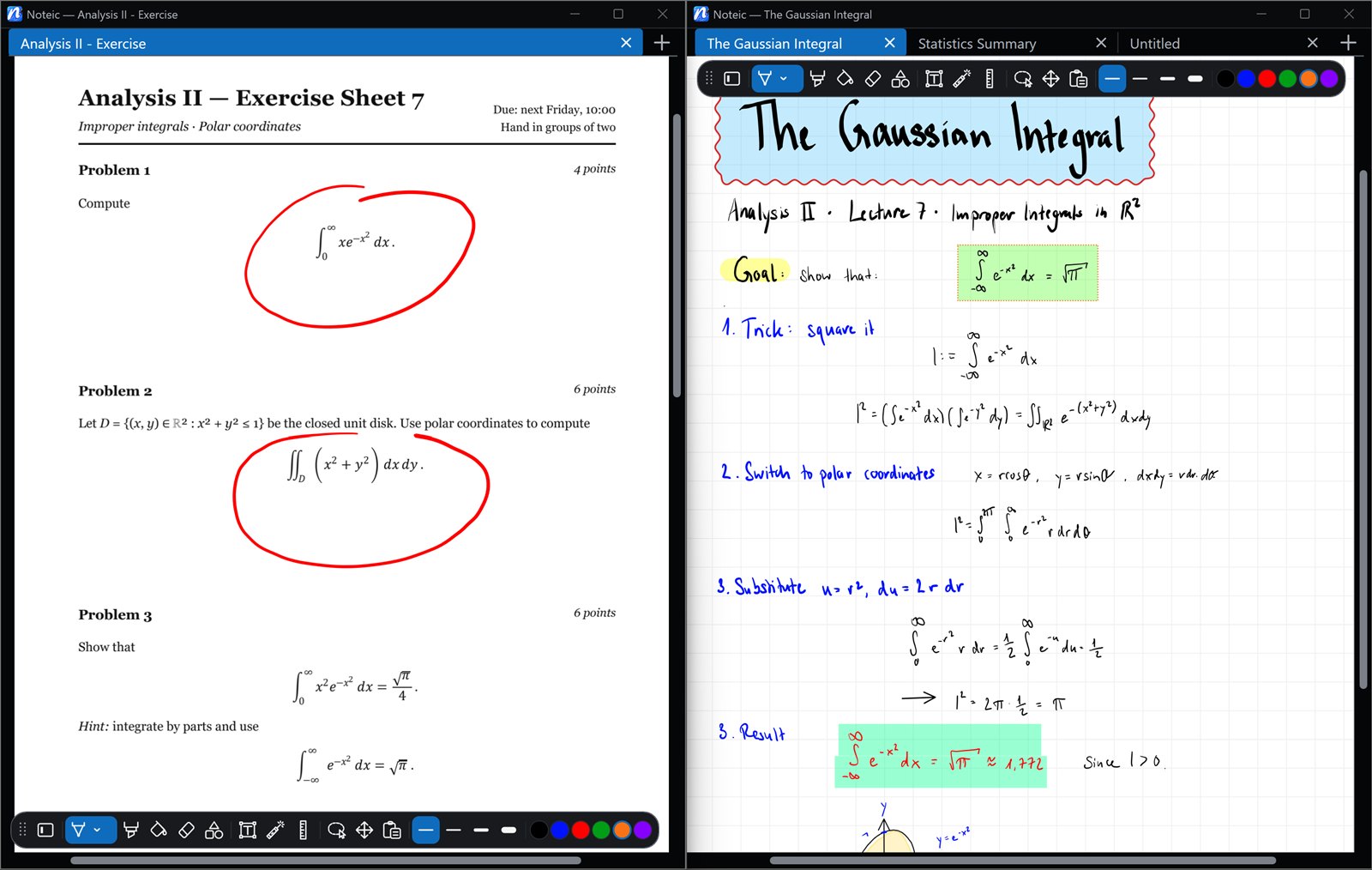
A shapes menu with tabs, ten new shapes, and connectors that stay attached to shapes and follow them.
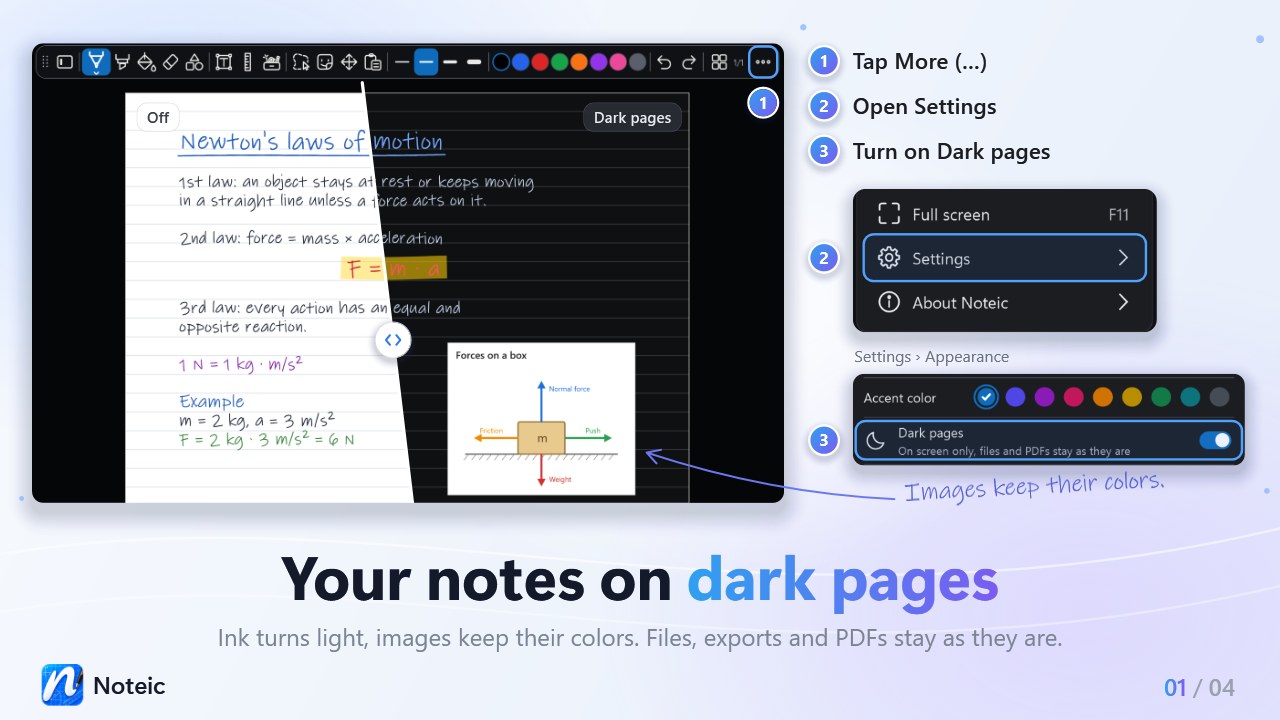
Dark pages and more from your pen and mouse
See your notes dark on screen, switch tools with your pen, mouse and keyboard, and make room on the whiteboard even at its edge.
Dark pages
Ink turns light and images keep their colors, on screen only. Files, exports and PDFs stay as they are.
How it works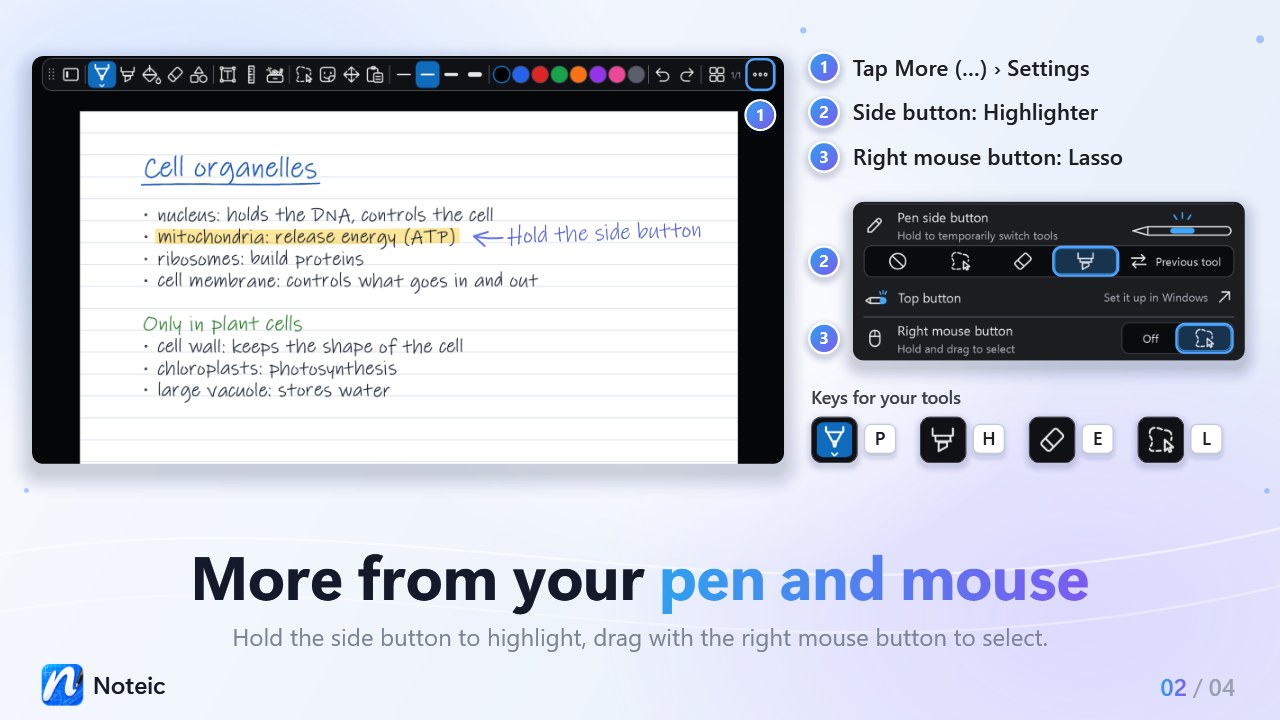
Pen and mouse buttons
Hold the side button to highlight or to use your previous tool, drag with the right mouse button to select, and press P, H, E or L.
How it works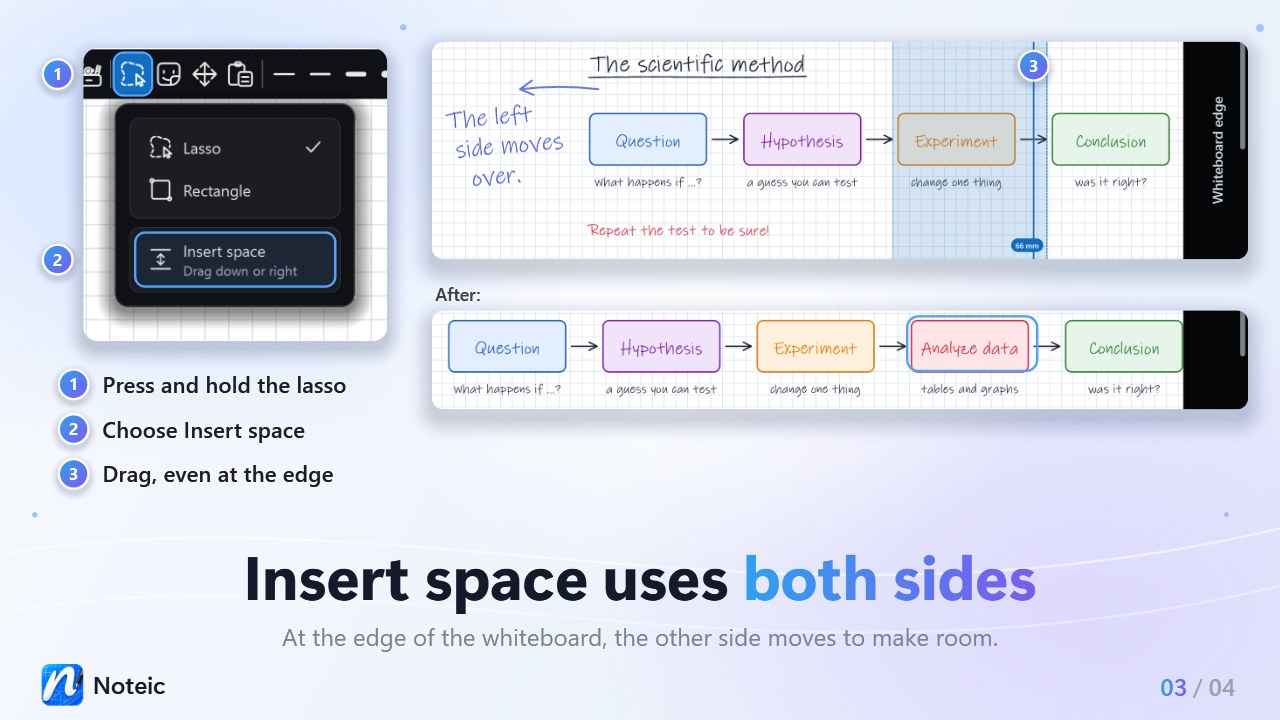
Insert space uses both sides
When one side reaches the edge of the whiteboard, the other side moves to make room.
How it works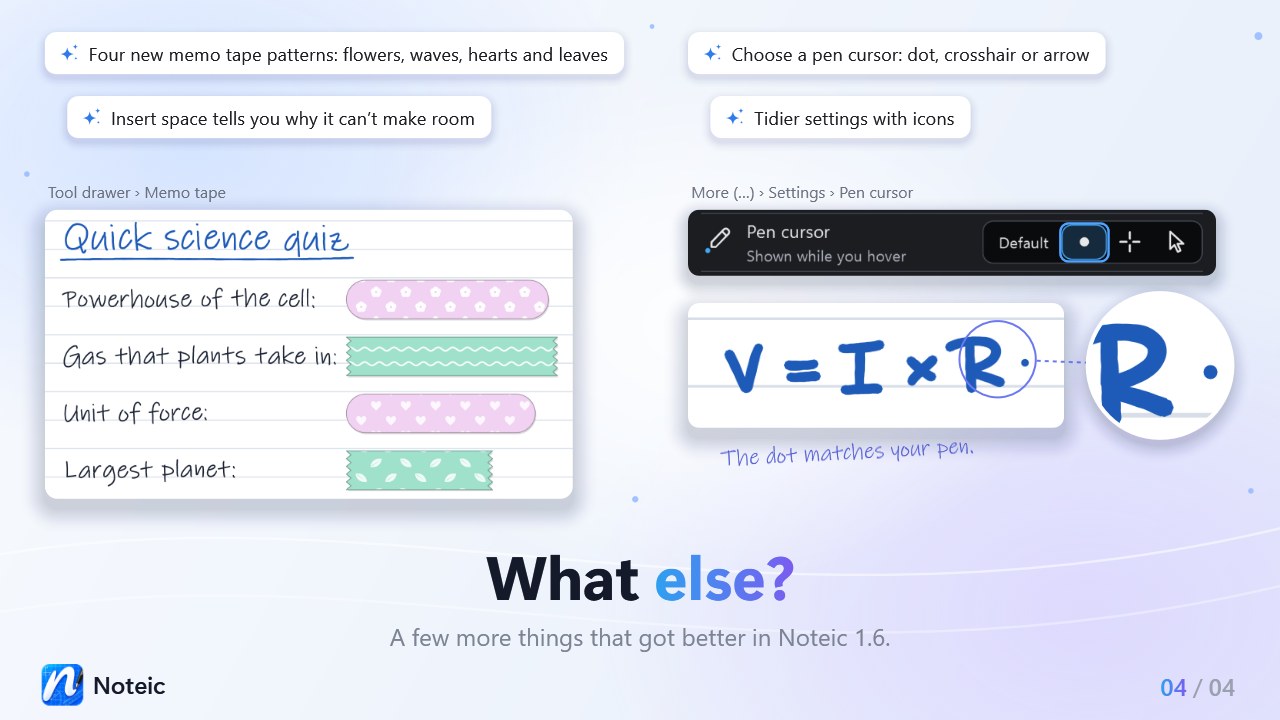
New tape patterns, your pen cursor
Four new memo tape patterns, and a dot, crosshair or arrow that shows where your pen is.
How it worksWhiteboard. Room for every idea.
One page that grows on all four sides as you write, up to about 10.3 × 21.2 m. With the same pens, shapes, text boxes, images and stickers as your notes.
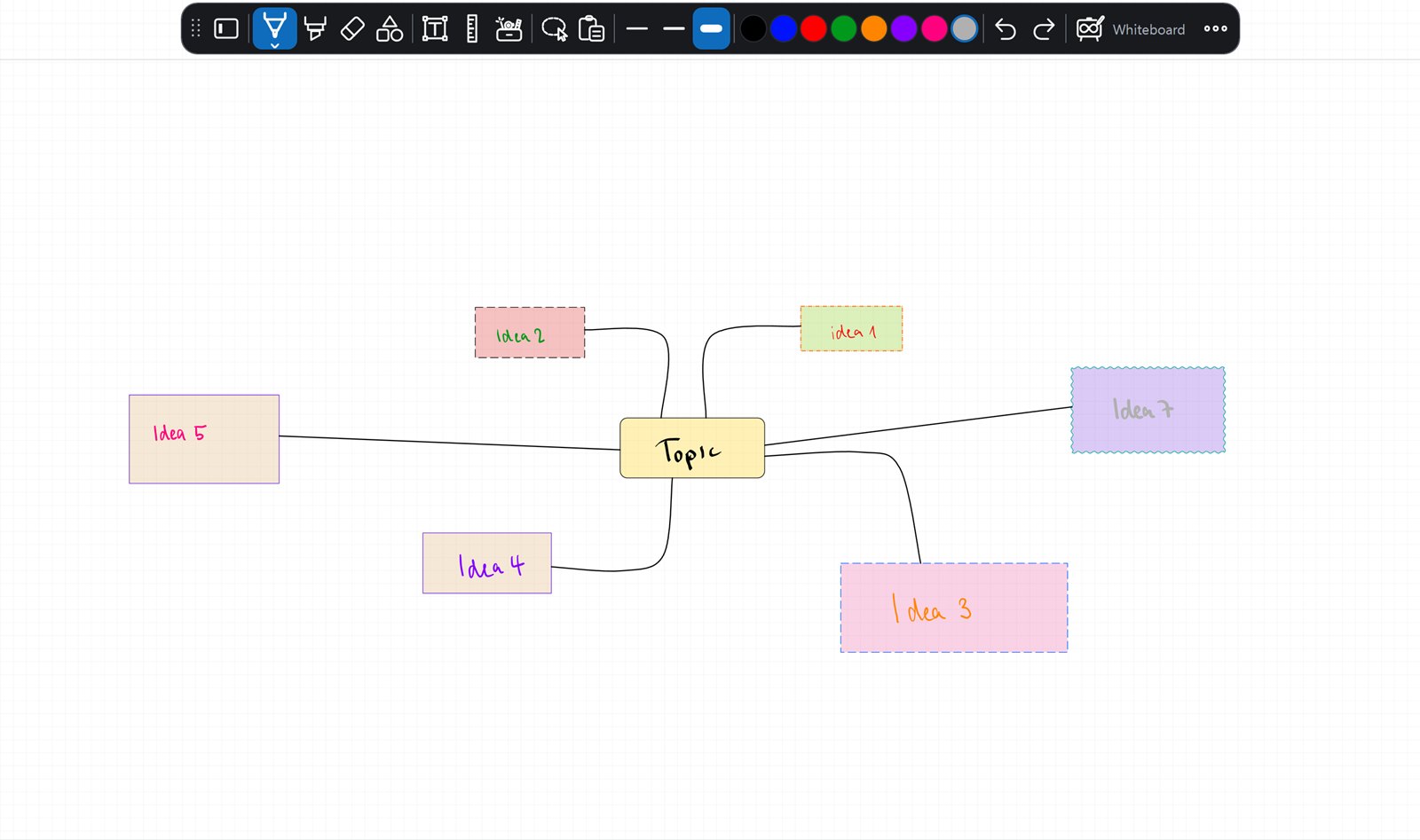
- Grows on all four sides
- Double-tap to see everything
- Insert space to make room
- Export what you see as PDF
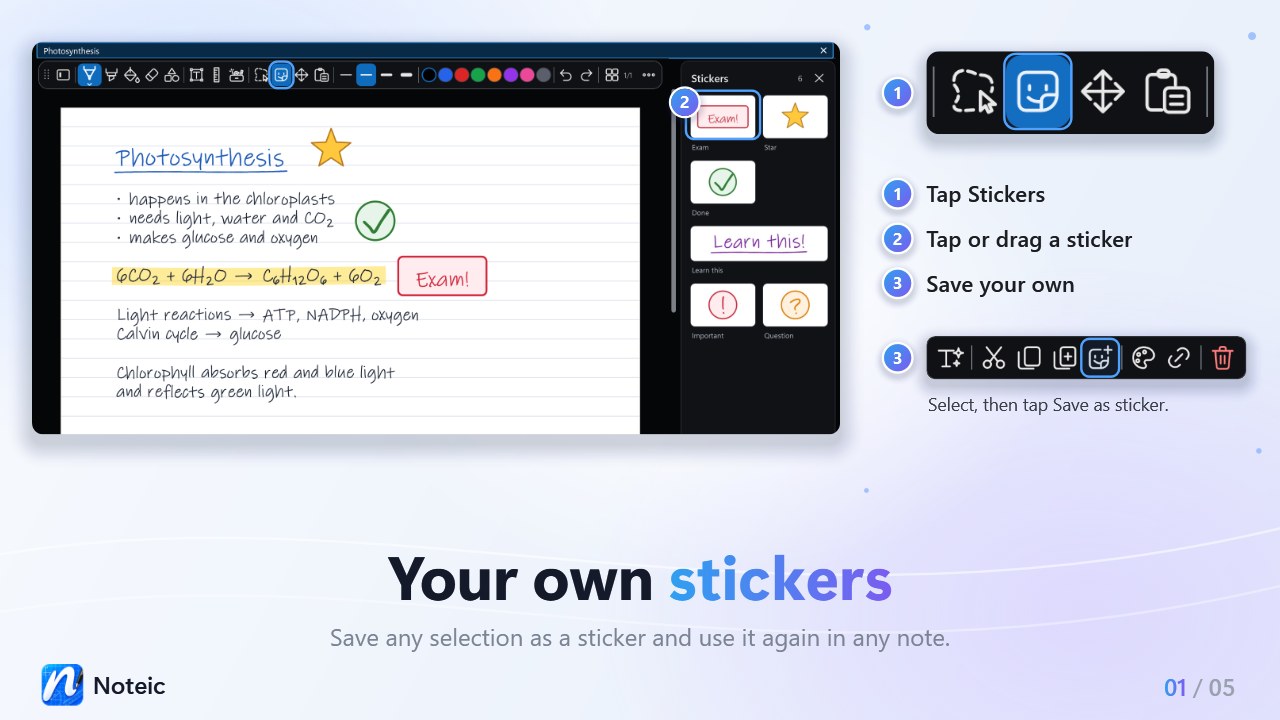
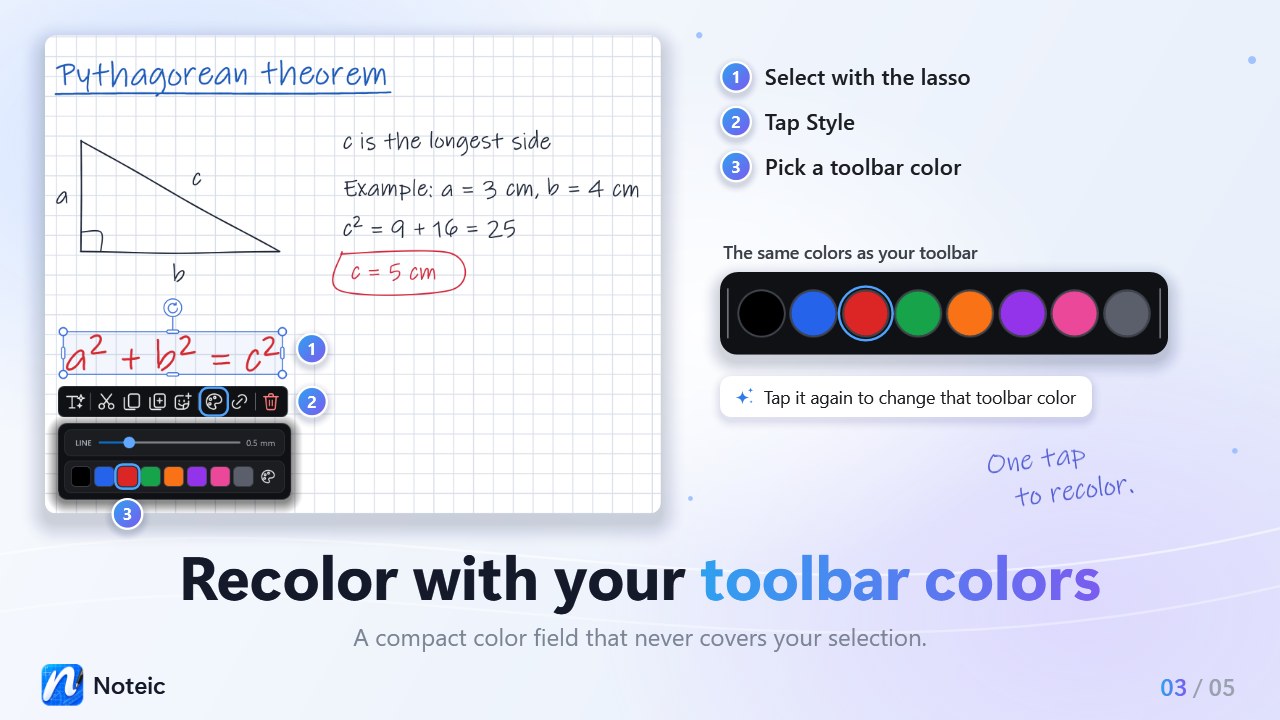
Stickers and your colors
Save anything you wrote as a sticker and recolor a selection with your toolbar colors.
Everything you need to think on paper
From the first stroke to the finished PDF, Noteic keeps your notes fast, clean and organized.
Ink that keeps up with your pen
Pressure, no re-sharpening when you lift the pen, and palm rejection: touch scrolls and zooms, only the pen writes. Ballpoint, fountain pen, calligraphy pen and highlighter.
Pens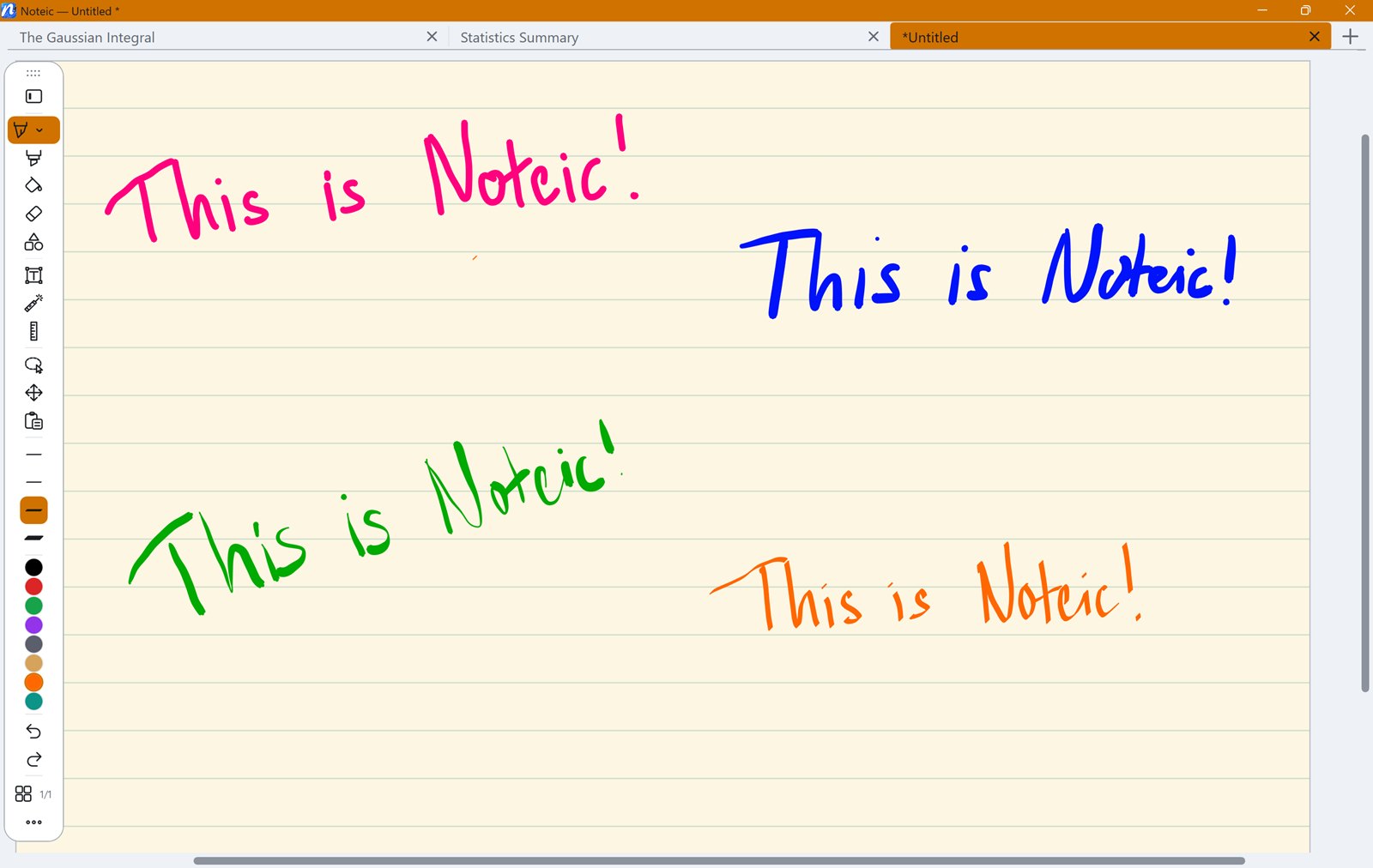
Memo tape
Cover answers with tape and tap to reveal them. Every note opens covered again.
Memo tape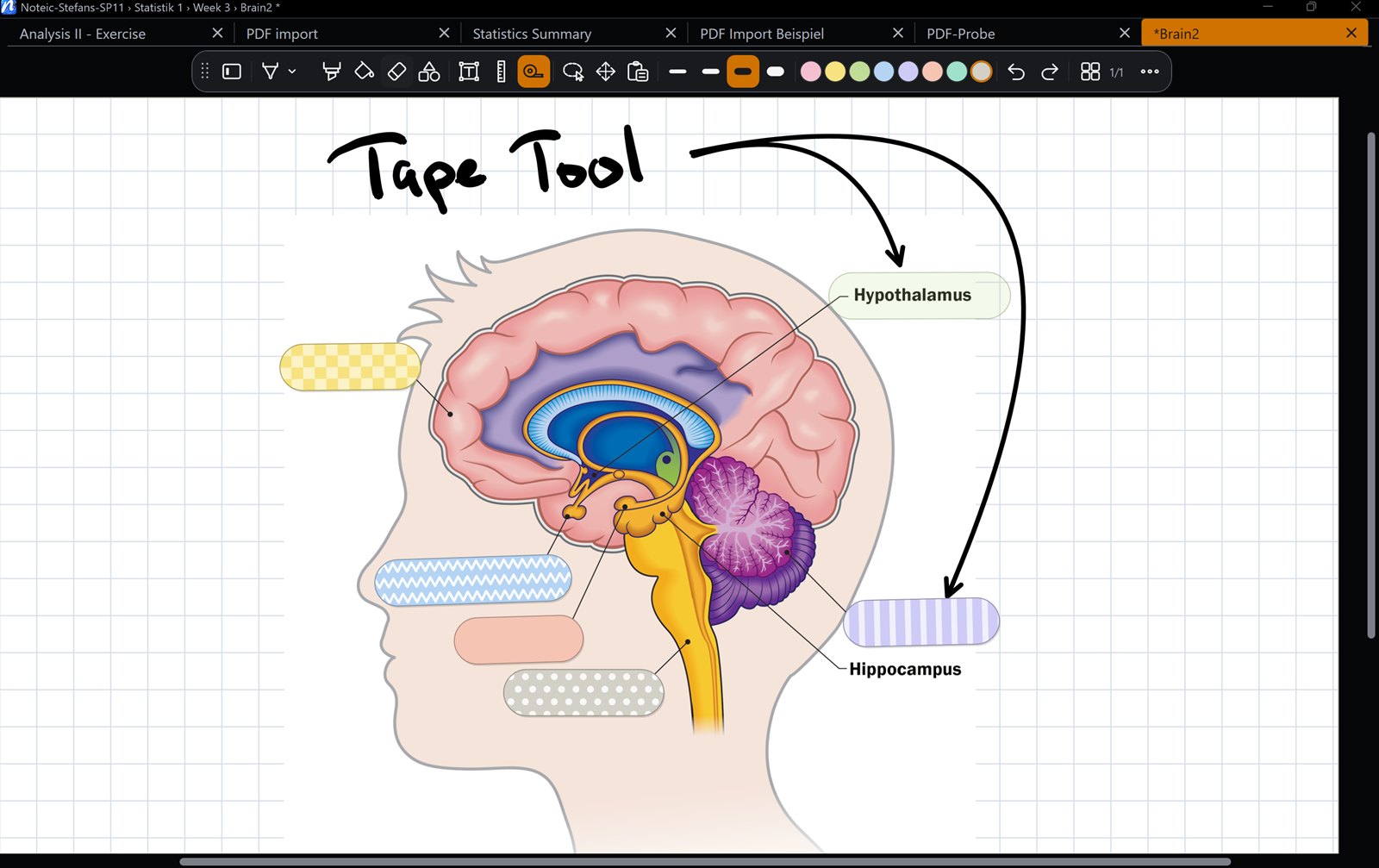
Clean shapes
55 shapes, including 3D shapes, plus connectors, shape recognition, ruler and protractor.
Shapes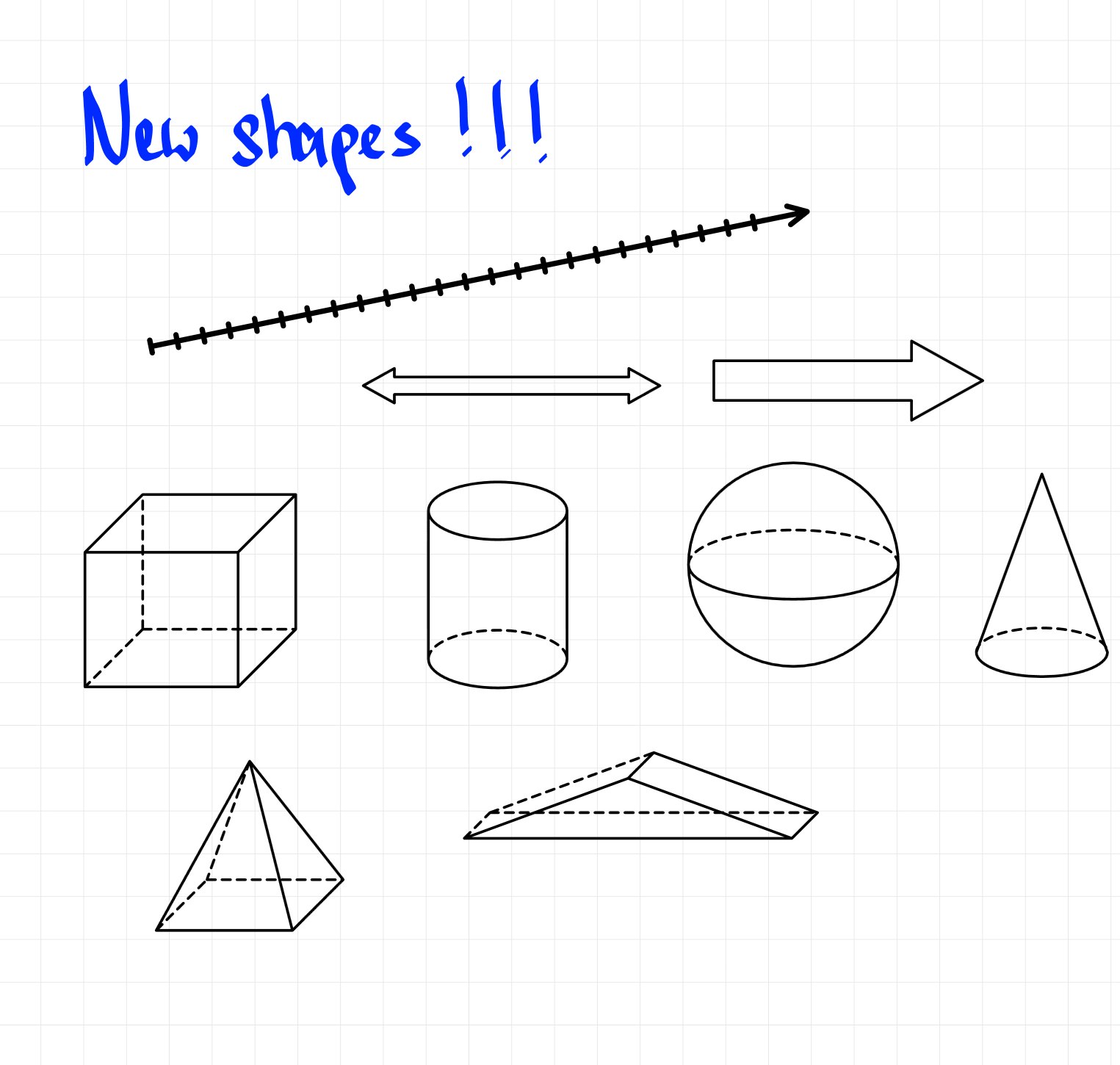
Write on your PDFs
Import lecture slides or worksheets, pick exactly the pages you need, write on them and export everything as a sharp vector PDF.
PDF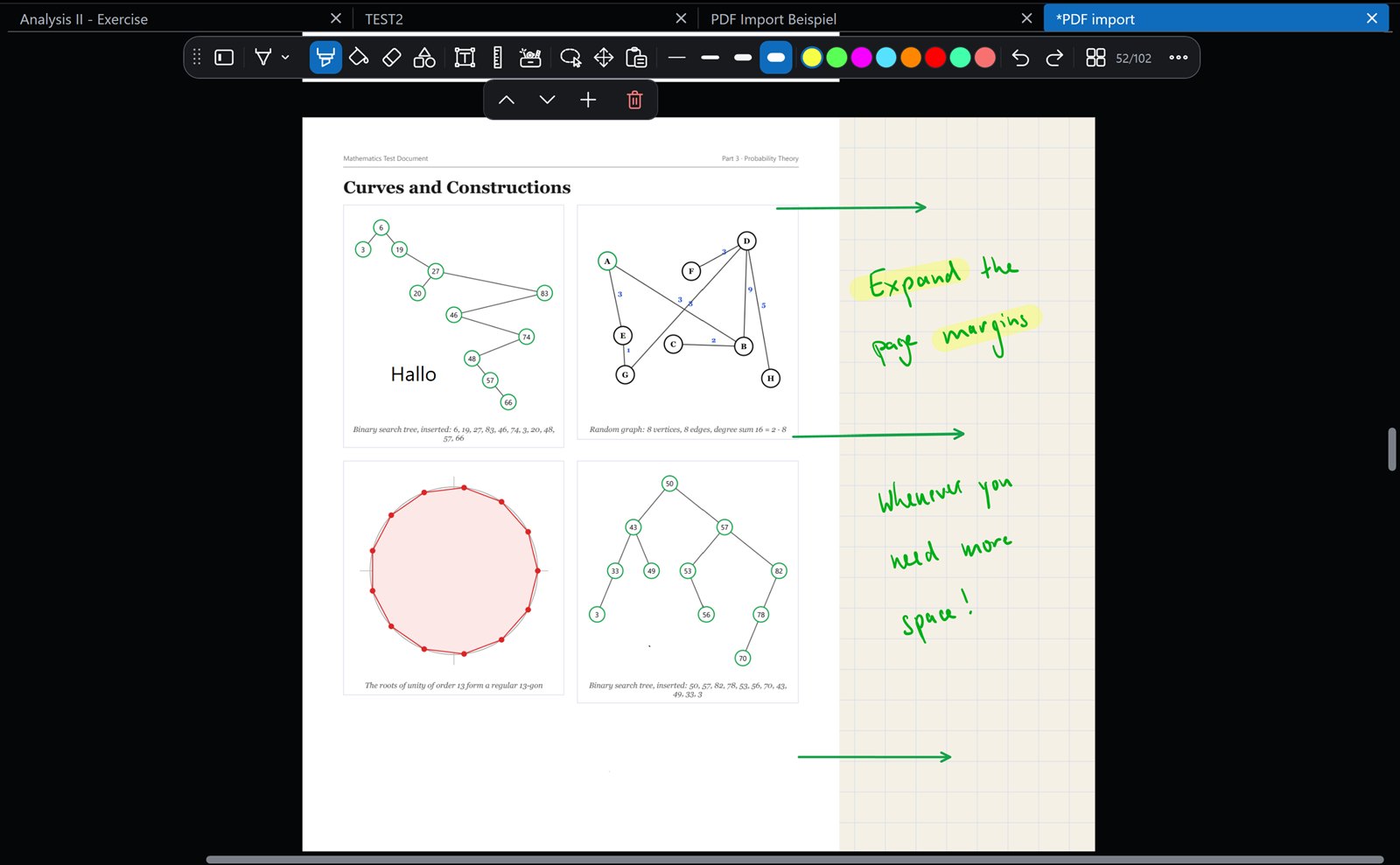
Text, tables and LaTeX
Text boxes with fonts, colors, lists and checklists, tables with merged cells and LaTeX formulas with a live preview.
Text, formulas and tables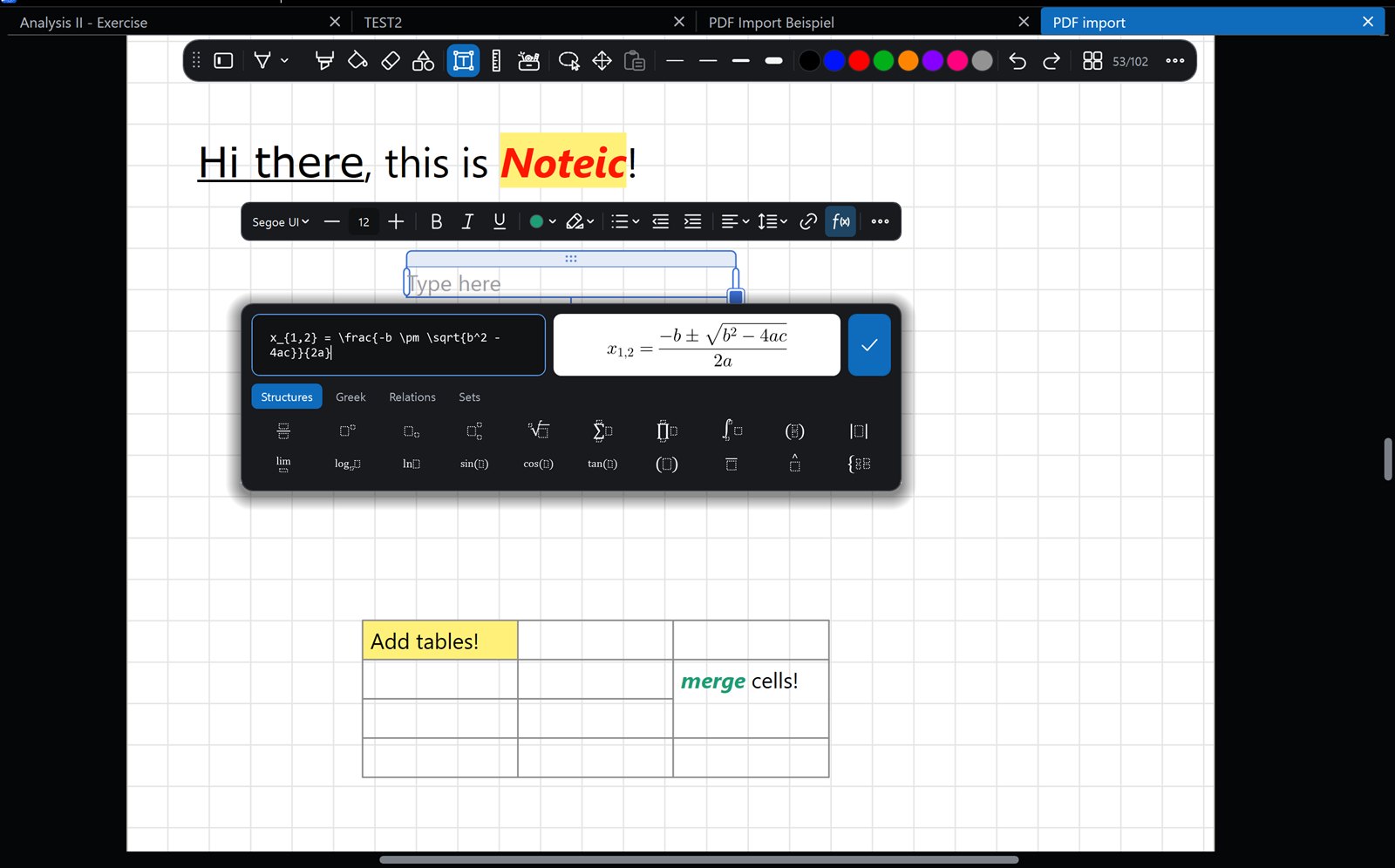
A library for your semester
Subjects, chapters, notes and sub-notes, with colors, icons, tags, favorites and search filters. One workspace per semester.
Library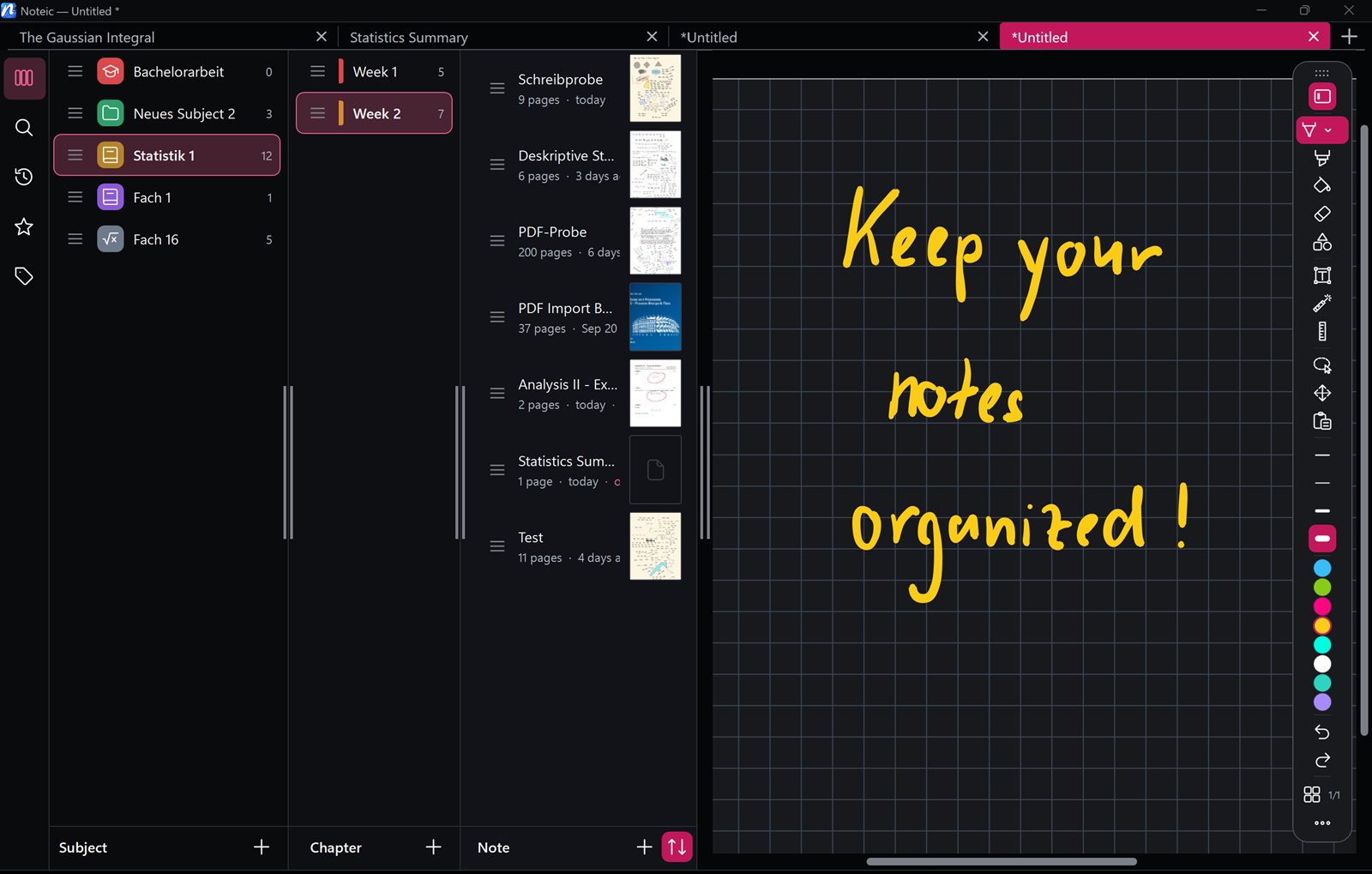
Made for writing by hand
Handwriting to text
Select your ink with the lasso and tap Convert to text, right on your device.
Lasso selection
Move, scale, rotate, copy and recolor, or drag onto another page.
Your own toolbar
Keep the tools you use, move the rest into the drawer and put the toolbar on any edge.
Ten paper styles
From ruled and grid to Cornell, music and hexagon, on A6 to A3, Letter, Legal and more.
Extend a page
Add room next to a page or a PDF: up to 20 cm left and right, 5 cm top and bottom.
Links
Link handwriting to a spot in your notes, and text to the web.
Tabs and windows
Open notes side by side and drag a tab out or onto another window.
Light and dark
Follow Windows or pick a mode, with nine accent colors and dark pages.
Laser pointer
A trail that fades by itself, for presenting from your notes.
Page overview
All pages at a glance, with colored bookmarks, an outline and drag to reorder.
Keyboard shortcuts
Made for the pen, with shortcuts when a keyboard is attached.
Autosave
Noteic saves while you write and brings your windows back.
Your notes are your files
No account, no ads and no telemetry. Notebooks are .noteic files in a folder you choose, so OneDrive and other cloud folders just work.
Read the privacy policy →- Works offline
- Handwriting recognition runs on your device
- Nothing is sent to the developer
- Export everything as PDF at any time
Start writing today
Noteic is free in the Microsoft Store. Every feature, no trial, no subscription.