 Noteic
Memo tape
Cover terms, answers or labels with tape, then tap the tape to see what is underneath. Every note opens covered again, ready for the next round.
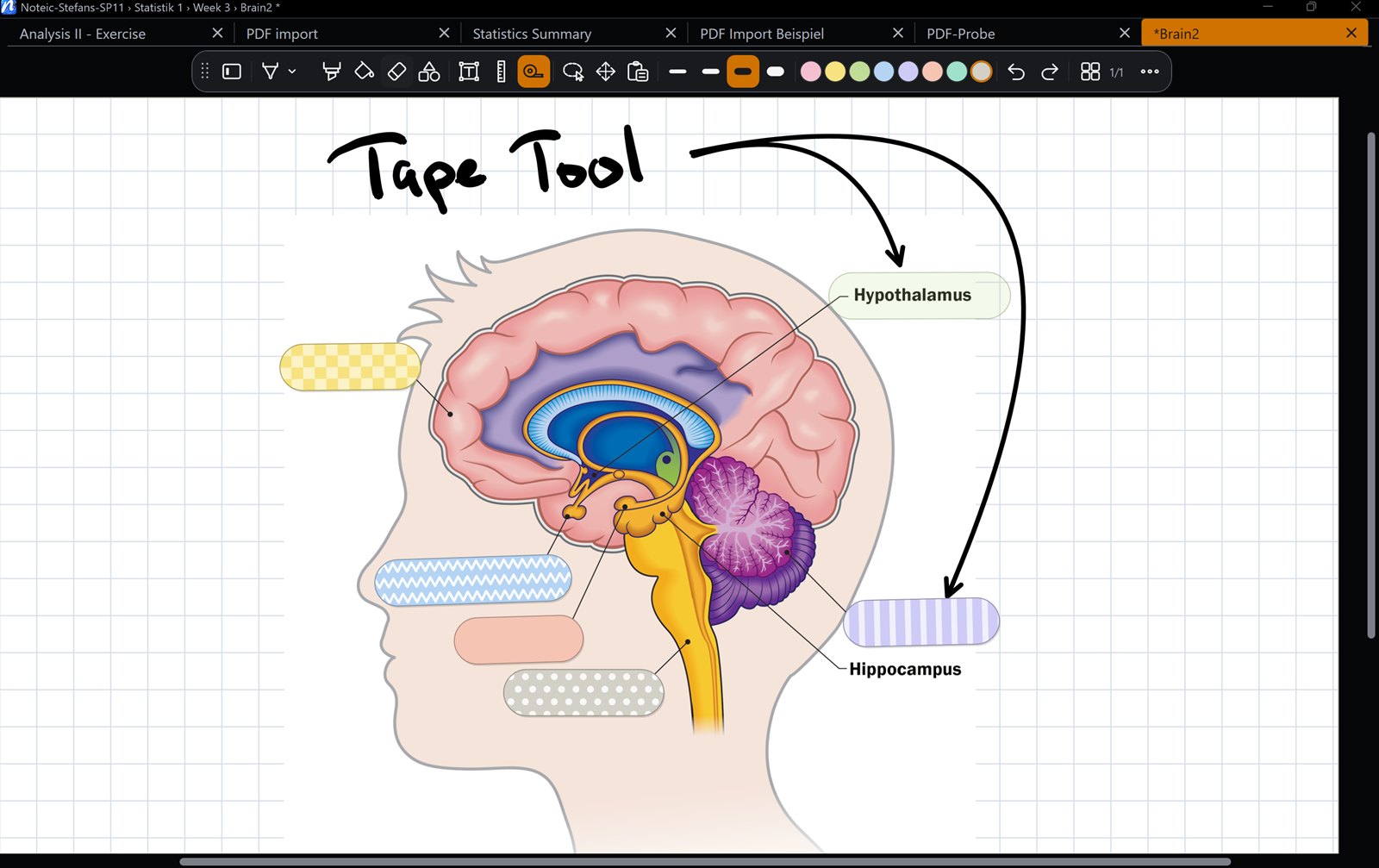
Cover with tape#
- Open the tool drawer in the toolbar and tap Memo tape.
- Drag over the writing you want to cover.
While memo tape is active, the width and color buttons in the toolbar set the tape: widths from 5 to 14 mm and ten tape colors.
Reveal#
- Tap a tape with your finger, with any tool, to reveal or cover it again.
- With the memo tape tool active, a short tap with the pen or mouse works too.
- Writing over a covered tape reveals it.
- Show all answers reveals every tape of the note at once.
What you revealed is not saved: the note always opens covered.
Options#
- Straight tape (on by default): the tape runs straight from start to end; Shift snaps it to 45°. Turn it off to make the tape follow your stroke.
- Shape: Round or Washi ends.
- Twelve patterns: Plain, Dots, Stripes, Checks, Zigzag, Diagonal, Gingham, Stars, Flowers, Waves, Hearts and Leaves. The last four came with Noteic 1.6.
To remove only tape, set the eraser to Tape. In a PDF export, every tape is covered. You can put memo tape into the toolbar in Customize the toolbar.
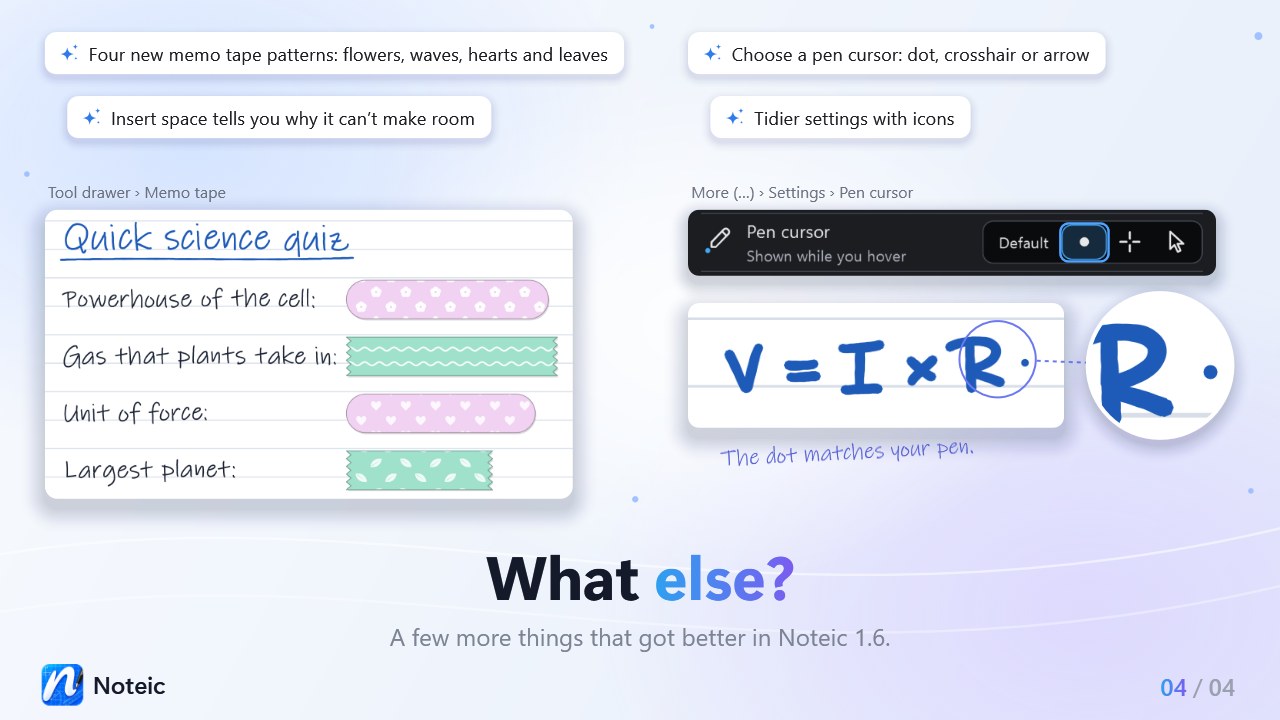
Older versions of NoteicIf you open a note with the new patterns in Noteic 1.5.1 or older on another PC, the tape shows in plain color. It still covers, and the pattern comes back in Noteic 1.6.